
MIKROE-2913

Mikroe
932-MIKROE-2913
MIKROE-2913

Mfr.:

Description:
Optical Sensor Development Tools Barcode click

Availability

Stock:
Non-Stocked
Factory Lead Time:
16 Weeks Estimated factory production time.
Minimum: 1   Multiples: 1
Unit Price:
-,-- kr.
Ext. Price:
-,-- kr.
Est. Tariff:
This Product Ships FREE

Pricing (DKK)

Qty. Unit Price
Ext. Price
1.327,73 kr. 1.327,73 kr.

Product Attribute Attribute Value Select Attribute
Mikroe
Product Category: Optical Sensor Development Tools
RoHS:  
Add-On Boards
Image Sensor
LV3296
3.3 V
Brand: Mikroe
Dimensions: 57.15 mm x 25.4 mm
Interface Type: GPIO, UART
Product Type: Optical Sensor Development Tools
Factory Pack Quantity: 1
Subcategory: Development Tools
Tradename: mikroBUS
Products found:
To show similar products, select at least one checkbox
Select at least one checkbox above to show similar products in this category.
Attributes selected: 0

CNHTS:
8543909000
CAHTS:
8473302000
USHTS:
8473301180
MXHTS:
8473300401
ECCN:
EAR99

Sensor Click Boards

Mikroe Sensor Click Boards enable the addition of various sensors to applications and designs. Click boards™ are based around the mikroBUS™ interface standard and easily add incredible capabilities to systems. Mikroe Sensor Click Boards are ideal for any application that requires custom sensor capability. 

Click Boards™

MikroElektronika MikroBUS™ Adapter click boards™ are designed to revolutionize the way users add new functionality to development boards. The user can push a click board into the innovative new MikroBUS™ standard socket and use it with zero hardware configuration. Categories of MikroElektronika mikroBUS™ Adapter click boards include Wireless Communication Modules, Wired Communication Modules, Sensor Modules, and Miscellaneous Modules & Accessories.

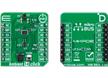
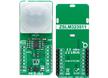
MIKROE-2913 Barcode click

Mikroe MIKROE-2913 Barcode Click is fast, agile, and compliant with a wide range of 1D and 2D barcode protocols. Mikroe MIKROE-2913 is equipped with a micro USB port and can work as a standalone device or a standard Click Board. The Click communicates with the MCU via the RX, TX, RST, and PWM pin of the mikroBUS™. Two red LEDs are used to illuminate the area in low light conditions and it features two push buttons for control when working as a standalone device.